
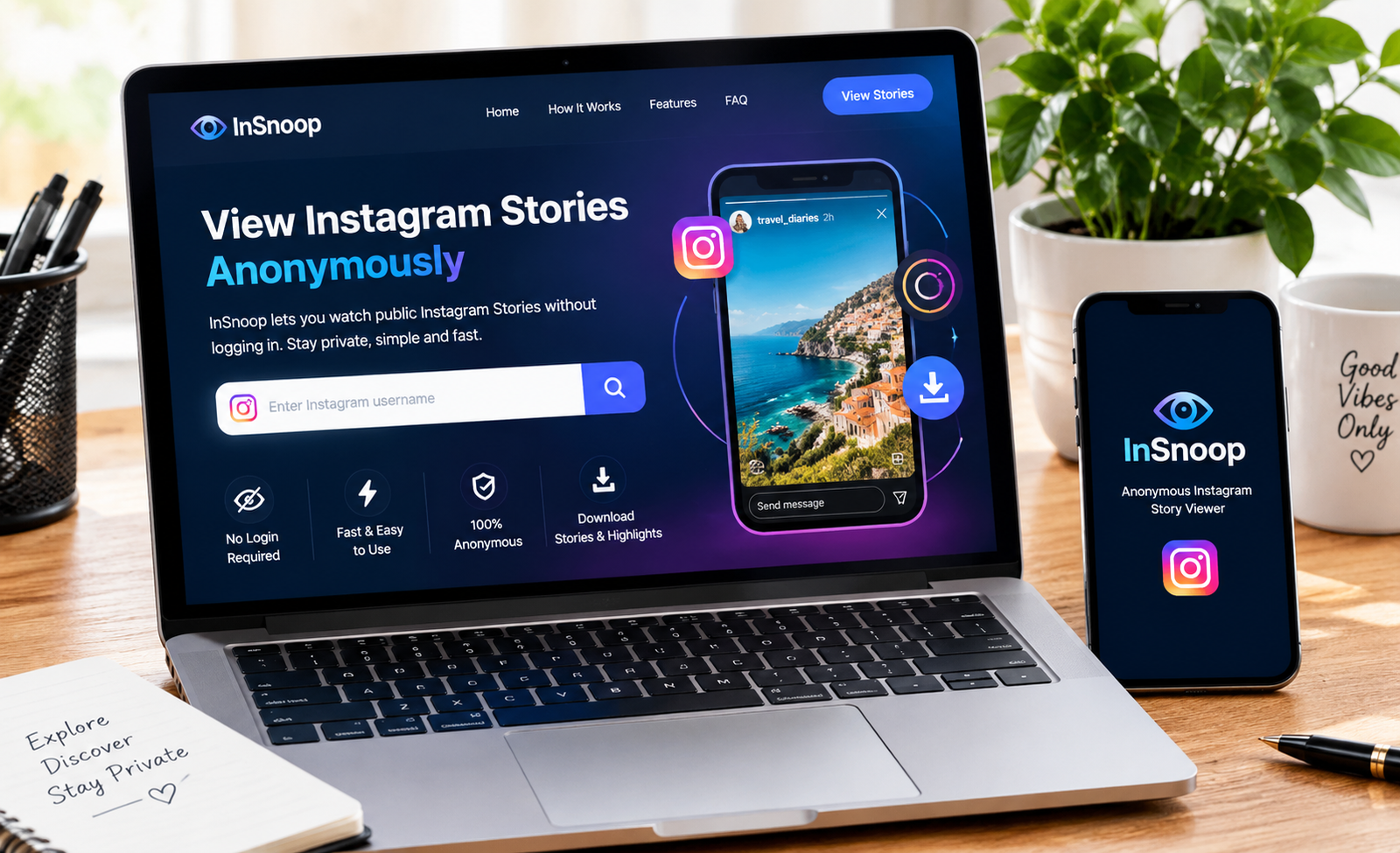
If you want to browse public Instagram Stories without using the normal Instagram app, InSnoop is one of the third-party tools you may come across. It is a browser-based Instagram viewer that focuses mainly on viewing public Stories without requiring an Instagram login. The service says users can enter a public Instagram username and view available Stories anonymously.
The idea is simple: instead of opening a Story through your logged-in Instagram account, you use a separate website to find publicly available content. This can be useful for people who want to check a public profile without creating an Instagram account or directly interacting with the account.
However, there are important limitations. InSnoop is not Instagram, does not provide access to private accounts, and its anonymity should not be treated as an absolute guarantee. Independent reviews have also reported that availability and reliability can vary.
This complete guide explains what InSnoop does, how to use it, its features, privacy considerations and the questions you should understand before using an anonymous Instagram viewer.
What Is InSnoop?
InSnoop is a web-based third-party service designed primarily for viewing public Instagram Stories without signing into Instagram. According to its website, users do not need to create an account or install an application to use the basic service.
The service works through a browser. Rather than interacting with Instagram through your personal Instagram profile, you enter a public username into the InSnoop search field and look for content that the service can access.
Its main appeal is convenience and privacy. Someone without an Instagram account can potentially use the service to view available public Stories, while an existing Instagram user can browse public content without opening the Story through their own Instagram profile.
It is important to understand that InSnoop is an independent service and is not affiliated with Instagram. Its own website states that it is a fan/third-party site and that the content belongs to its respective creators.
How Does InSnoop Work?
The basic process is straightforward:
- Find the Instagram username of a public profile.
- Open InSnoop in a web browser.
- Enter or paste the username into the search box.
- Search for the profile.
- If available, browse the Stories or other supported content.
- If the service provides a download option, save supported media to your device.
The important point is that InSnoop is not giving you access to someone’s private Instagram account. It is designed around content that is publicly accessible.
Some descriptions of third-party Instagram viewers explain the process as an intermediary or server-based request rather than a normal logged-in Instagram session. However, users should not assume that this makes every aspect of their online activity completely invisible.
InSnoop Features at a Glance
| Feature | What it means |
|---|---|
| Browser based | Use it through a web browser |
| No Instagram login | The basic viewer does not require your Instagram password |
| Public profiles | Designed for publicly available content |
| Story viewing | One of its primary purposes |
| Highlights | The official site also lists Highlight support |
| Downloads | Supported images and videos may be downloadable |
| Mobile access | Can be used from phones, tablets and computers |
| Account creation | No InSnoop membership is required for basic use |
| Private profiles | Not supported |
The exact features available can change as Instagram and third-party services change their systems, so a feature advertised on a viewer should not be considered permanently available.
How to Use InSnoop
Using InSnoop does not require a complicated setup.
Step 1: Find the username
First, identify the public Instagram account you want to check. Make sure the username is correct because similar usernames can belong to different accounts.
Step 2: Open InSnoop
Visit the InSnoop website using a modern browser. You do not normally need to install an app or browser extension for the basic service.
Step 3: Enter the username
Type the public Instagram handle into the search field. Avoid entering your Instagram password or other private credentials.
Step 4: Search for available content
Submit the search and wait for the profile or available Stories to load. If nothing appears, the account may be private, the Story may have expired, or the service may temporarily be unable to retrieve the content.
Step 5: View available Stories
If the Story is accessible, you can view it through the third-party interface rather than through your normal Instagram Story viewer.
This process is designed to be simple enough for users on desktop computers, Android phones, iPhones and tablets.
Can InSnoop View Private Instagram Accounts?
No. InSnoop should not be expected to provide legitimate access to private Instagram profiles.
Private Instagram accounts restrict their content to approved followers. A third-party website cannot legitimately turn a private account into a public one simply by entering its username.
The official InSnoop FAQ specifically states that its viewer works with public accounts and does not support private profiles.
This is also an important safety rule. If a website claims that it can unlock private Instagram accounts, reveal Close Friends Stories or bypass someone’s privacy settings, treat the claim with extreme caution.
Can You View Instagram Stories Anonymously?
This is the main reason many people search for InSnoop.
InSnoop markets itself as an anonymous Instagram Story viewer. The basic idea is that you are not opening the Story from your own logged-in Instagram account, so your Instagram username should not be added to the normal Instagram Story viewer list.
However, anonymous does not mean completely untraceable.
A third-party website may still have its own technical logs, cookies, analytics or other information depending on how it operates. In addition, service behaviour can change when Instagram changes how its platform works.
Some independent testing has also reported inconsistent results, including Stories failing to load and concerns about whether anonymity always works as expected.
For that reason, it is better to think of InSnoop as a privacy-oriented viewing option, rather than a guaranteed invisibility service.
Does InSnoop Require an Instagram Account?
One of its biggest advantages is that an Instagram account is not normally required.
According to InSnoop, you can use the service without:
- Creating an Instagram account
- Signing into Instagram
- Providing an Instagram password
- Installing a dedicated application
This makes the service potentially useful for people who do not use Instagram but want to view publicly available Stories.
It can also reduce the need to connect your personal Instagram account to an external viewer.
Can InSnoop Download Instagram Stories?

InSnoop advertises support for downloading certain public images and videos. Its website says photographs can be saved as JPEG files and videos as MP4 files.
Availability can depend on the particular content and whether InSnoop can retrieve it successfully.
There is also an important copyright consideration: being able to download something does not automatically mean you own it or have permission to republish it.
If a photographer, influencer, business or other creator owns an image or video, you should obtain permission before reusing it commercially or publishing it elsewhere.
Is InSnoop Safe?
Safety is one of the most important questions to ask before using any anonymous Instagram viewer.
InSnoop says it uses SSL encryption and does not require users to provide personal Instagram login details for its service.
That is useful, but users should still take normal precautions when using any third-party website.
Good safety practices include:
- Never enter your Instagram password into an anonymous viewer.
- Do not provide unnecessary personal information.
- Avoid downloading suspicious files.
- Be careful with pop-ups and redirects.
- Keep your browser and security software updated.
- Do not install unknown extensions simply because a website recommends them.
- Avoid websites promising access to private Instagram accounts.
The safest approach is to use the service only for its stated purpose and avoid giving it information it does not genuinely need.
Why Might InSnoop Not Work?
Third-party Instagram viewers can stop working temporarily or permanently. Instagram frequently changes its systems, access controls and content delivery methods.
If InSnoop is not showing a Story, possible reasons include:
The account is private:
The service is intended for public profiles.
The Story has expired:
Instagram Stories normally have a limited lifespan unless the creator adds them to Highlights.
The username is incorrect:
Check spelling, punctuation and the exact Instagram handle.
The content is unavailable:
A deleted Story or removed account cannot necessarily be retrieved.
Temporary service problems:
Third-party viewers can experience server or retrieval problems. One 2026 review reported cases where Stories failed to load.
Instagram changes its systems:
A third-party viewer may need to adapt when Instagram changes how public content can be accessed.
InSnoop vs. Instagram
The biggest difference is that Instagram is the official social platform, while InSnoop is an independent viewing service.
| InSnoop | |
|---|---|
| Third-party service | Official platform |
| Browser-based viewer | Full social network |
| Focuses on public content | Supports public and authorised private content |
| No normal Instagram login required | Account available for full functionality |
| Anonymous Story viewing is its main selling point | Normal Story viewing is connected to your account |
| Limited interaction | Likes, comments, messages, follows and more |
| May have availability limitations | Direct access to Instagram features |
If you want to interact with creators, send messages, follow accounts or use Instagram’s complete feature set, the official Instagram platform is the better choice.
If your goal is simply to browse publicly available Stories without using your Instagram account, a third-party viewer such as InSnoop may be more relevant.
Who Might Find InSnoop Useful?
InSnoop can be useful for several legitimate purposes.
People without Instagram accounts:
You may want to check public information without creating an Instagram profile.
Casual public-content research:
Researchers or users may want to observe publicly shared content without interacting with the account.
Marketers:
A marketer might monitor public competitor Stories for general content ideas and trends. This should be done ethically and without attempting to access restricted information.
Privacy-conscious users:
Some people simply prefer not to associate every piece of public browsing with their personal social media account.
The important boundary is to use public information responsibly rather than attempting to bypass someone’s privacy.
Is InSnoop Free?
The official InSnoop website describes the service as free and says there is no membership requirement for using it.
Free third-party services are often supported through advertising or other website monetisation methods. That means users may encounter advertisements, promotional elements or occasional redirects.
Before clicking unfamiliar buttons, check that you are interacting with the actual viewer rather than an advertisement or unrelated pop-up.
Is InSnoop an Official Instagram Tool?
No.
InSnoop is an independent third-party service. It is not the official Instagram application and should not be confused with a feature provided by Meta.
This distinction matters because users should not assume that InSnoop has the same reliability, security guarantees, account support or privacy protections as Instagram itself.
For official Instagram account management and privacy settings, use Instagram directly.
FAQ’s
Q1. Is InSnoop completely anonymous?
InSnoop is designed to provide anonymous viewing of public Instagram Stories, but no third-party service should be treated as a guarantee of complete online anonymity. Independent reviews have raised questions about reliability, so users should keep expectations realistic.
Q2. Can InSnoop view private Instagram Stories?
No. InSnoop is designed for public Instagram profiles. It should not be used or trusted as a tool claiming to bypass private-account restrictions.
Q3. Do I need an Instagram account to use InSnoop?
No. The service says that an Instagram account and login are not required for its basic viewer.
Q4. Can I download Stories from InSnoop?
The service advertises downloads for supported public images and videos. However, downloading content does not give you ownership or automatic permission to reuse it.
Q5. Is InSnoop the same as Instagram?
No. InSnoop is a separate third-party website, while Instagram is the official social media platform. InSnoop should therefore be viewed as an external viewing tool rather than an Instagram feature.
Conclusion
InSnoop is a browser-based third-party service primarily designed to let users view public Instagram Stories without logging into Instagram. Its simple interface, lack of an account requirement and focus on anonymous viewing explain why people search for it.
Its biggest limitation is also important: it does not provide legitimate access to private Instagram accounts. In addition, anonymous viewing should not be interpreted as a guarantee that every aspect of your browsing is invisible.
